Workspaces on paid plans can import a Zulip organization export and rebuild streams and message history in HansaChat — with original timestamps, threads, and reactions.
What is imported
- Streams as channels: public streams become public channels, invite-only streams become private channels.
- Messages with their original timestamps.
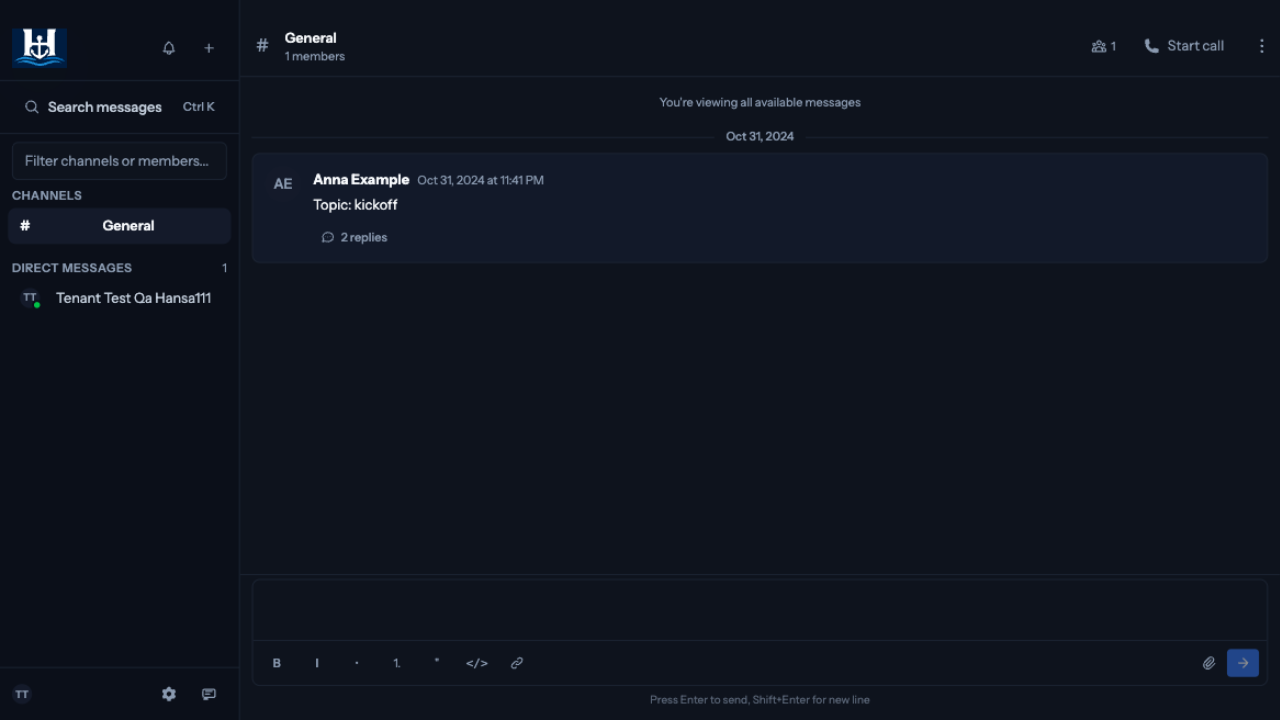
- Topics become threads. Each Zulip topic is imported as one HansaChat thread under a synthesized "Topic: …" starting message, so the topic's conversations stay together.
- Emoji reactions.
- Formatting in message texts.
- Users: accounts that match an existing member by email are linked; everyone else is imported as an inactive placeholder profile with no password. Inviting that person later by their email address links the history to their new account.
What is not imported
- Personal messages and huddles (direct messages). The import covers streams.
- File attachments. Message text is kept; attachment references remain as plain text.
- Message edit history. The latest version of a message is imported, and the edit is marked.
Prepare the archive
Ask your Zulip organization administrator for an organization export. Self-hosted organizations produce it with the manage.py export command; Zulip Cloud organizations can request an export from support. The result is a .tar.gz archive containing zerver_* metadata files and messages-*.json shards.
Run the import
- Open the workspace dashboard on the HansaChat website.
- Find your workspace and choose Import workspace data.
- Select the
.tar.gzarchive and choose Import archive.
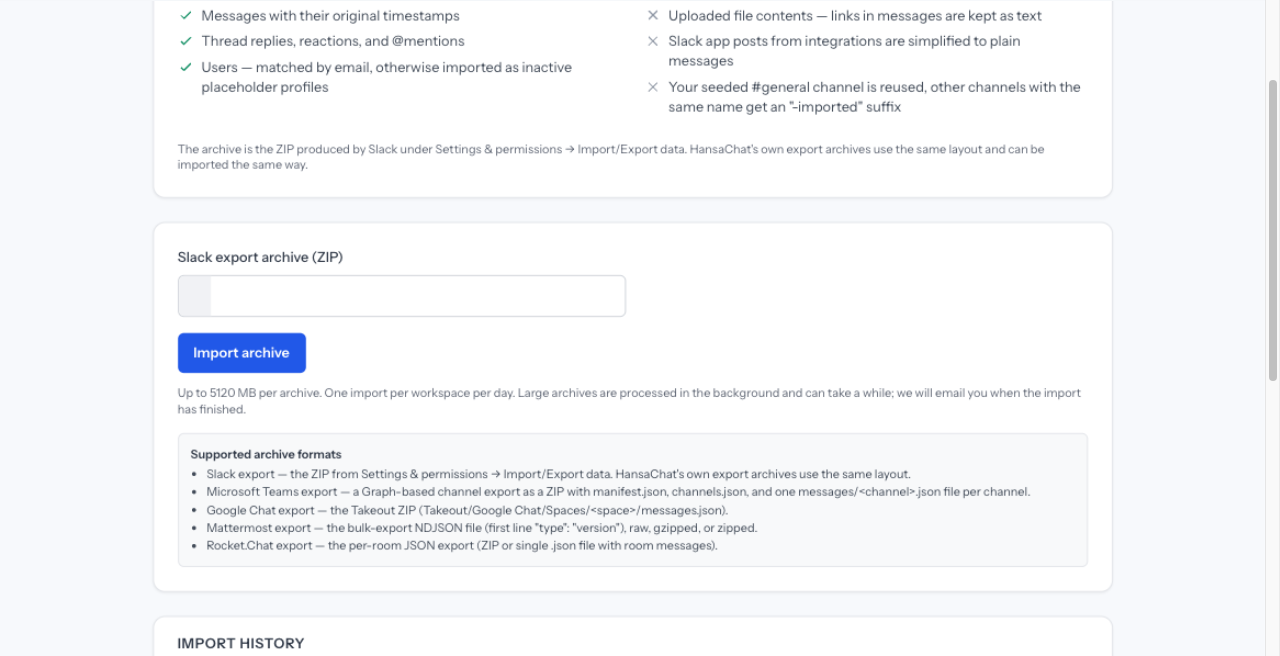
Each workspace can start one import per day. The import runs in the background; the page shows live progress and you receive an email when the import has finished.
How your history lands
- Your existing #general channel is reused and the imported history is appended to it.
- Other streams are recreated with their original name. If a channel with the same name already exists, the imported one is created with an "-imported" suffix.
- Imported history appears when you reload the workspace. Nothing is pushed to open sessions while the import runs.
- Members who were not linked to an existing account appear as inactive profiles. They never receive email and cannot log in unless you invite them.
Data protection note
The export contains personal data of your Zulip members, such as names, email addresses, and message content. Create and download the export only when you are ready to import, and delete your local copy afterwards. HansaChat deletes the uploaded archive as soon as the import has finished.