Your profile helps teammates recognize you in channels and direct messages.
Steps
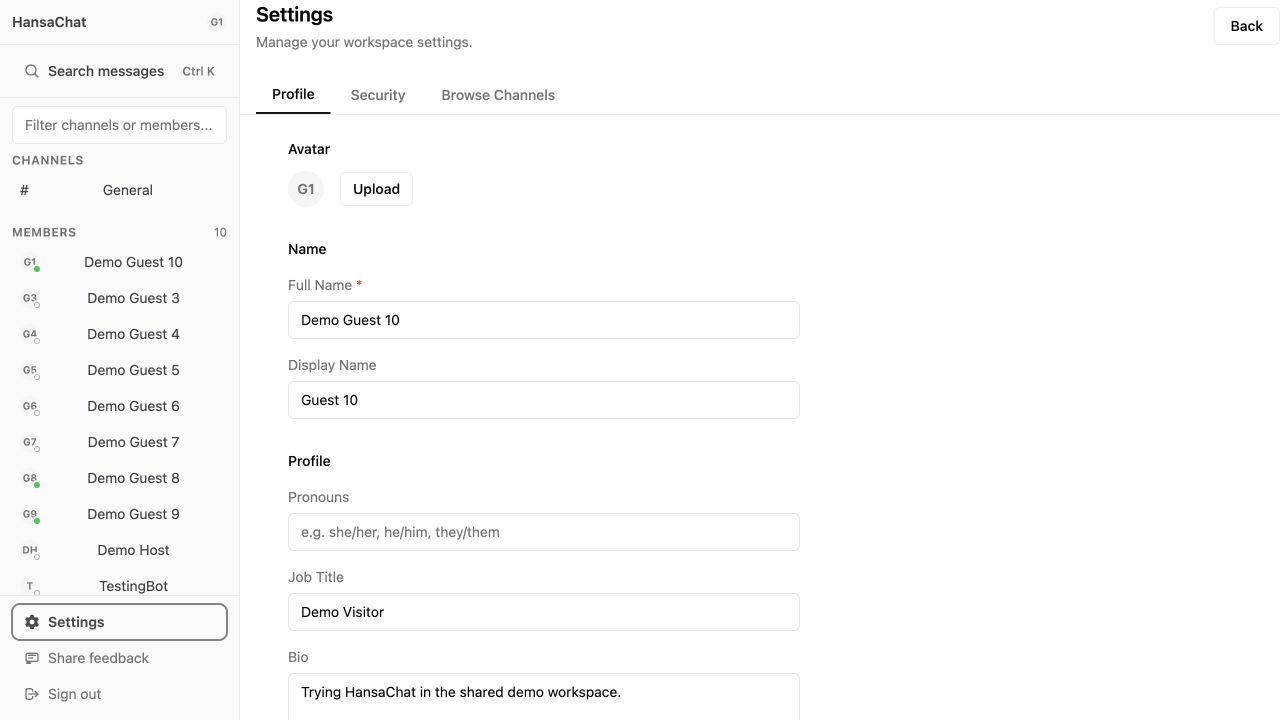
- Open Settings from the sidebar.
- Stay on the Profile tab.
- Use Upload in the Avatar section to choose a new profile image.
- Update your full name, display name, pronouns, job title, or bio.
- Select Save Changes.
Avatar tips
Use a clear square image. If you do not upload an avatar, HansaChat shows your initials.
Profile tips
The display name is useful when you want a shorter name shown in conversations. Your bio and job title help teammates understand your role.