Privacy notice

HansaChat uses session storage where account features require it and privacy-friendly Umami analytics on this website. Analytics runs independently of this notice.

Learn more
HansaChat

Documentation

Invite people to a channel

Add existing workspace members to a private or public channel.

Invite people to a channel

Private channels are visible only to members who have been invited. Public channels can also use invitations when you want to bring specific people into a conversation.
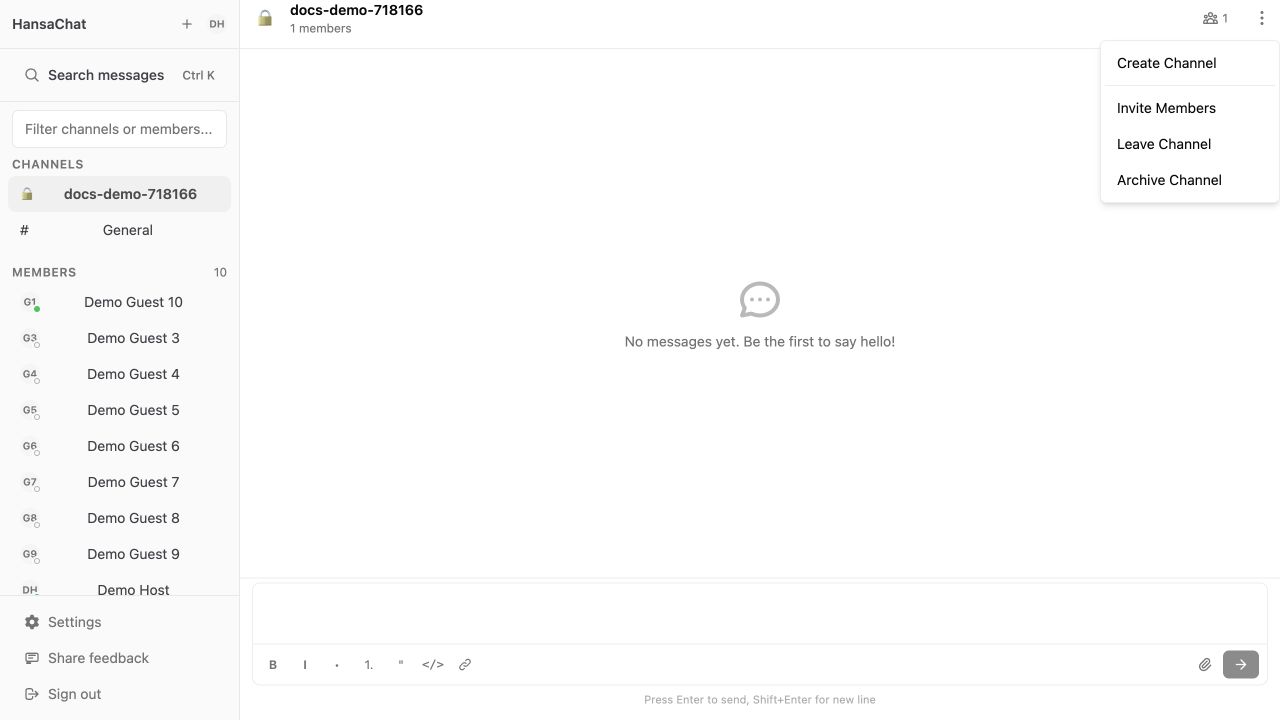
Channel options menu

Steps

  1. Open the channel.
  2. Select Channel options.
  3. Choose Invite Members.
  4. Search for an existing workspace member by name or email.
  5. Select Invite next to the person you want to add.
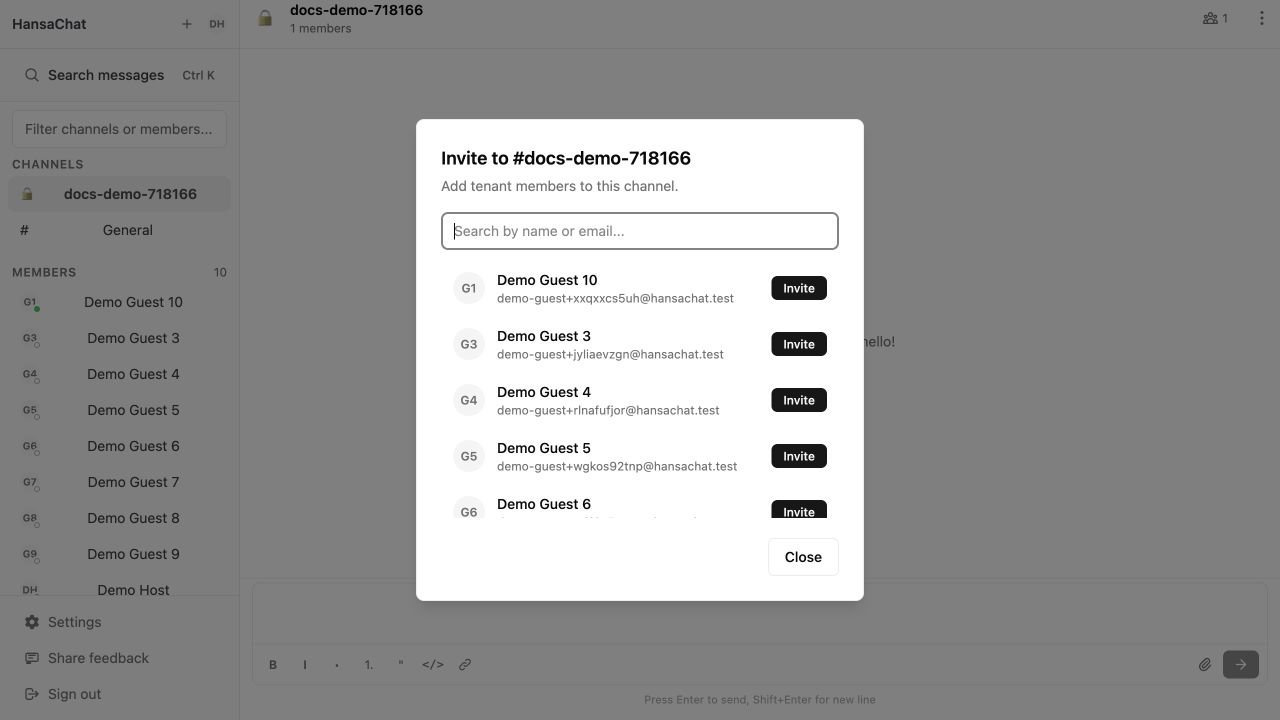
Invite members dialog

Important

This screen invites people who are already members of the workspace. To invite a new person by email, use Invite users to a workspace first.

Privacy notice

HansaChat uses session storage where account features require it and privacy-friendly Umami analytics on this website. Analytics runs independently of this notice.

Learn more