A workspace is where your team communicates in HansaChat. It contains channels, members, messages, files, and settings.
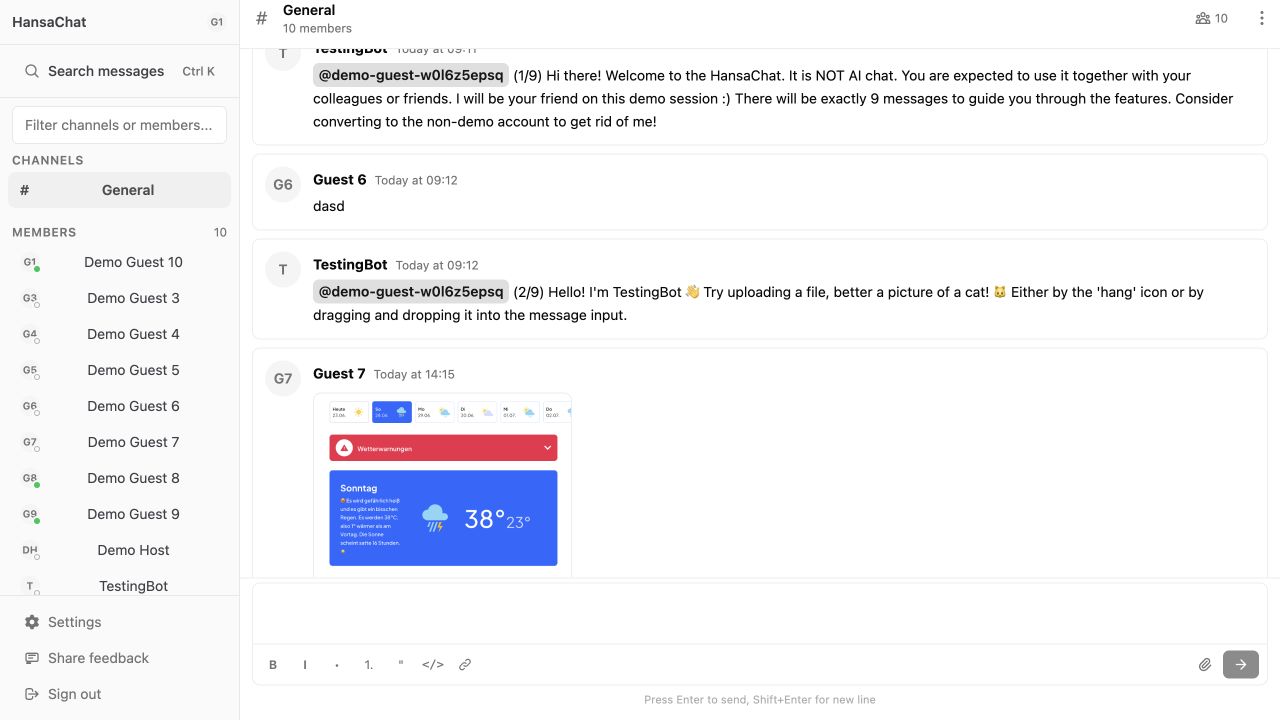
Main areas
- Sidebar: switch between channels, direct messages, settings, feedback, and sign out.
- Channels: shared spaces for team, project, or topic-based conversations.
- Members: people in the workspace.
- Message timeline: the current channel conversation.
- Composer: the message box at the bottom of the channel.
Basic workflow
- Choose a channel from the sidebar.
- Read the latest messages.
- Type a message in the composer.
- Use replies, reactions, or files when the conversation needs more context.
Tip
Admins see additional actions such as creating channels and managing invitations.