Your email address is used for sign-in, invitations, and account verification.
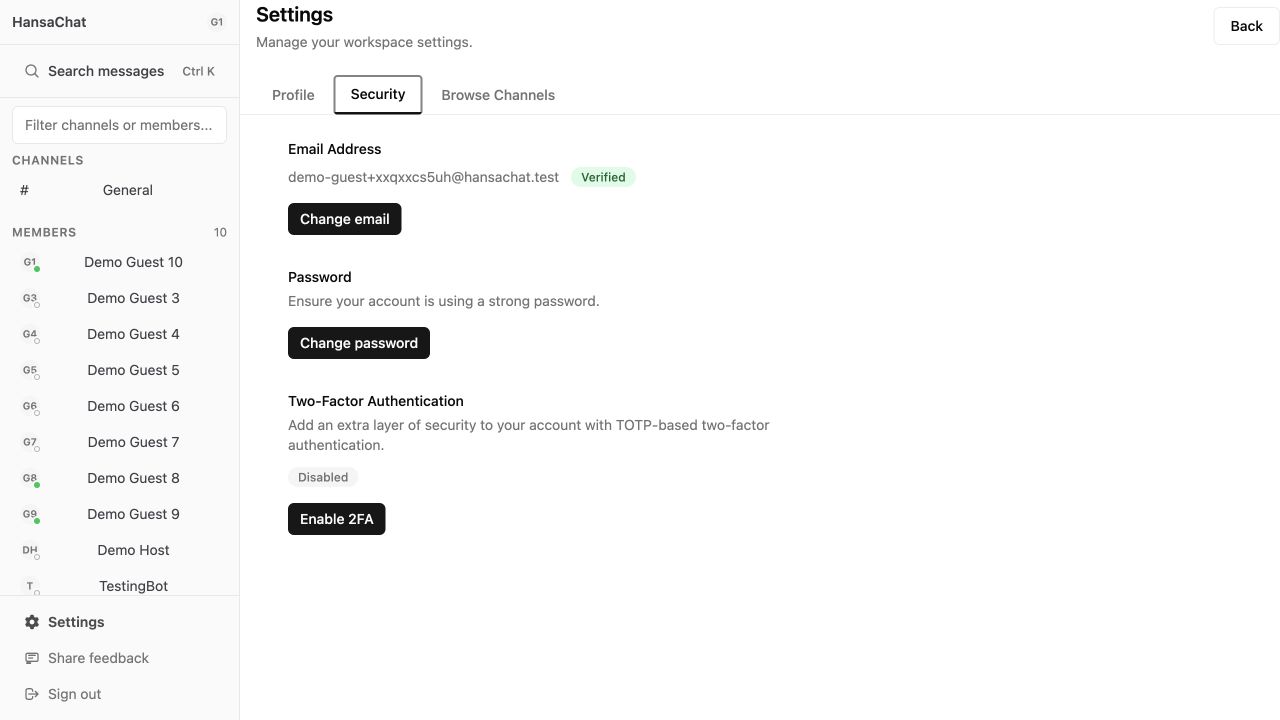
Steps
- Open Settings from the sidebar.
- Select Security.
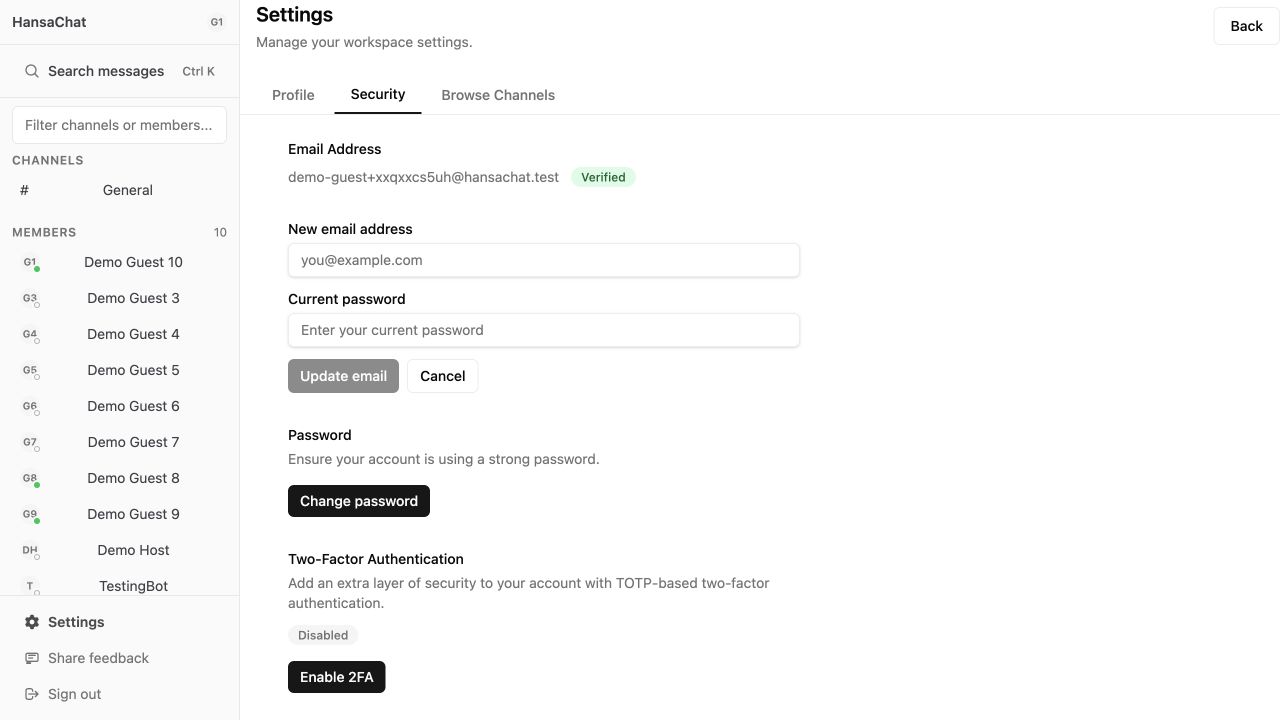
- In the Email Address section, choose Change email.
- Enter the new email address.
- Enter your current password.
- Choose Update email.
After changing email
Check the inbox for the new address and complete verification. If the verification email does not arrive, check spam first, then contact support at igor@hansa.chat.