Incoming webhooks let external tools post automated messages into a HansaChat channel. Use them for deployment updates, monitoring alerts, ticket notifications, form submissions, and other events that should appear in team chat.
Only workspace administrators can create and manage incoming webhooks.
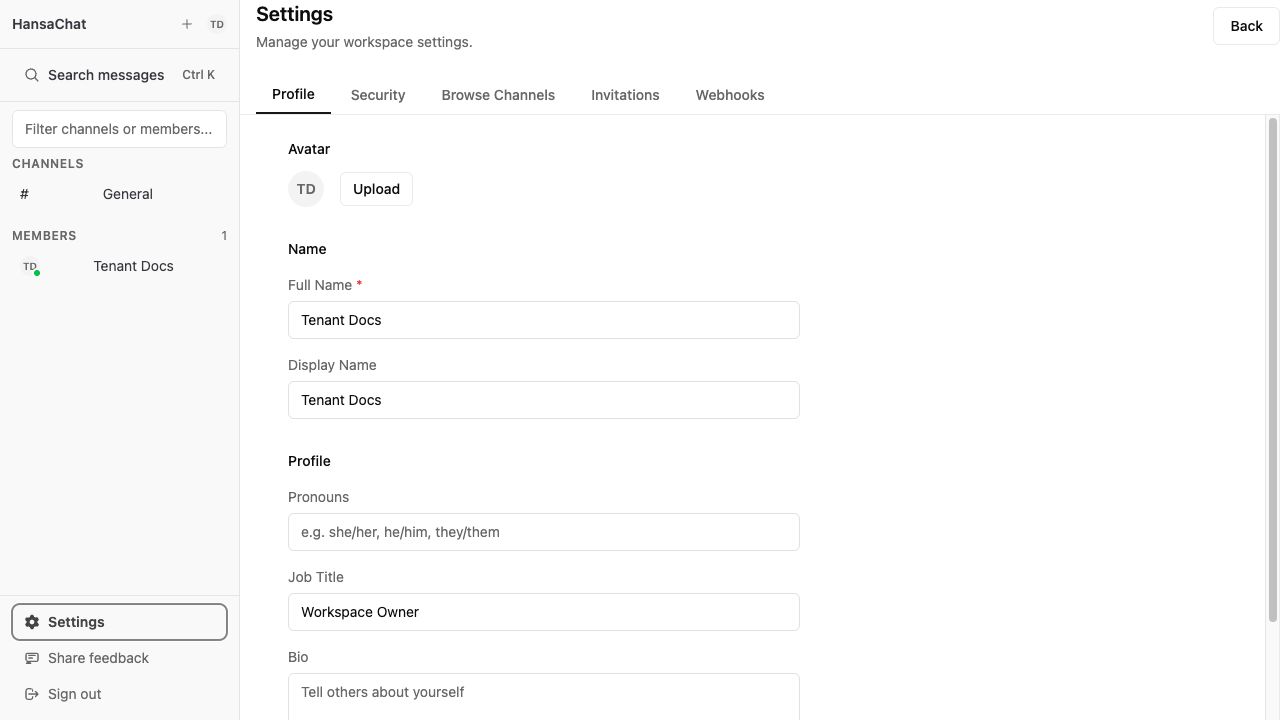
Create a webhook
- Open Settings from the lower-left sidebar.
- Select Webhooks.
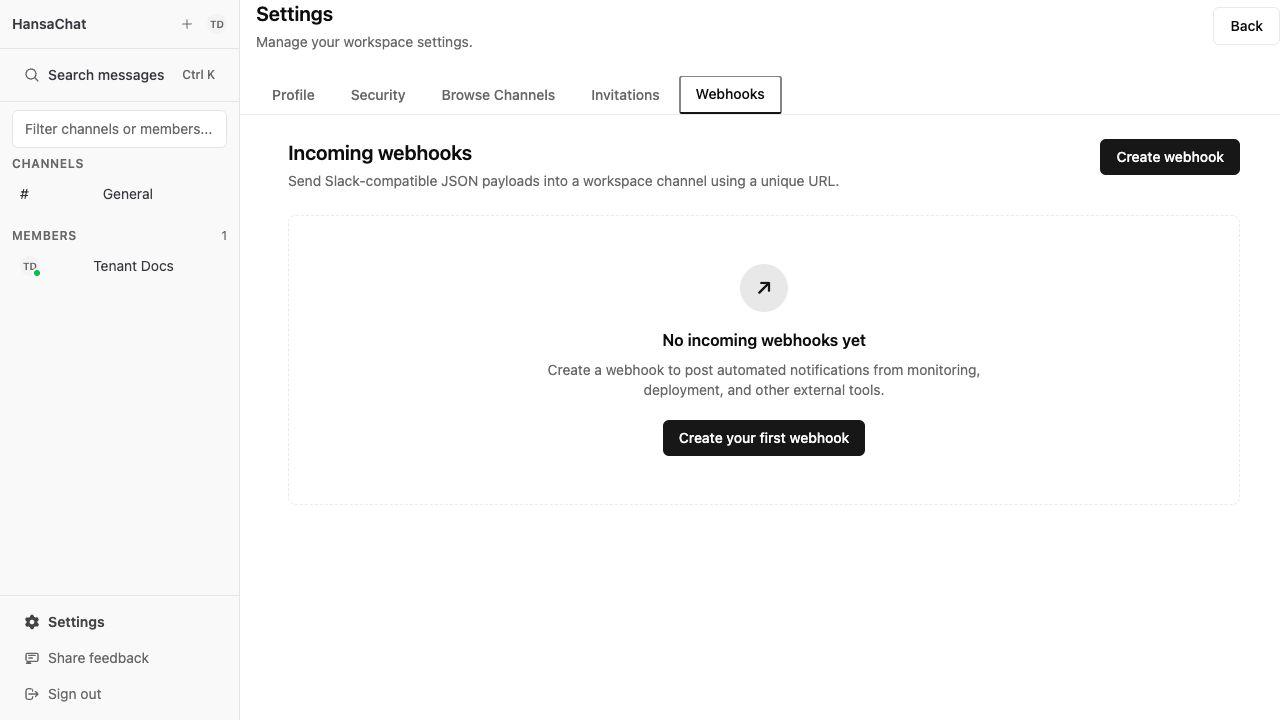
- Choose Create webhook.
- Enter a clear webhook name, such as
CI Deployments. - Choose the channel where messages should be posted.
- Optionally enter an icon URL.
- Choose Create webhook.
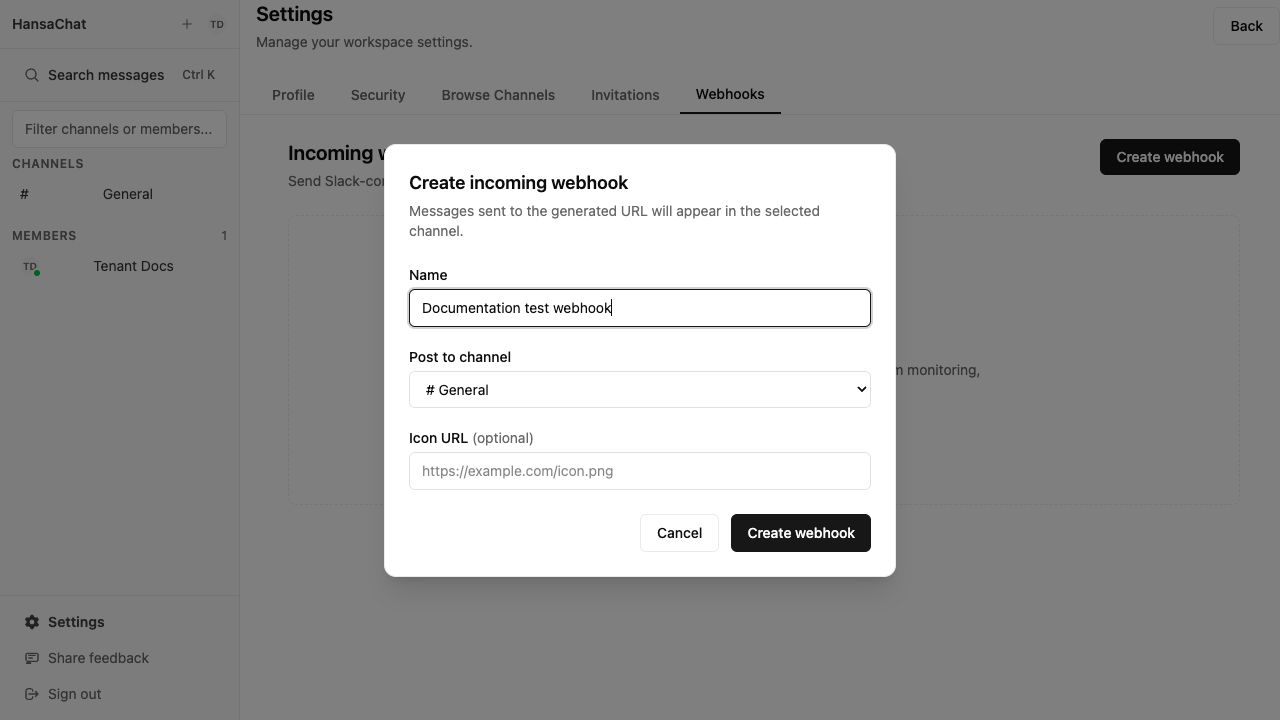
Copy the webhook URL
After creation, HansaChat shows the webhook URL once. Copy it and store it securely in the external tool that will send events.
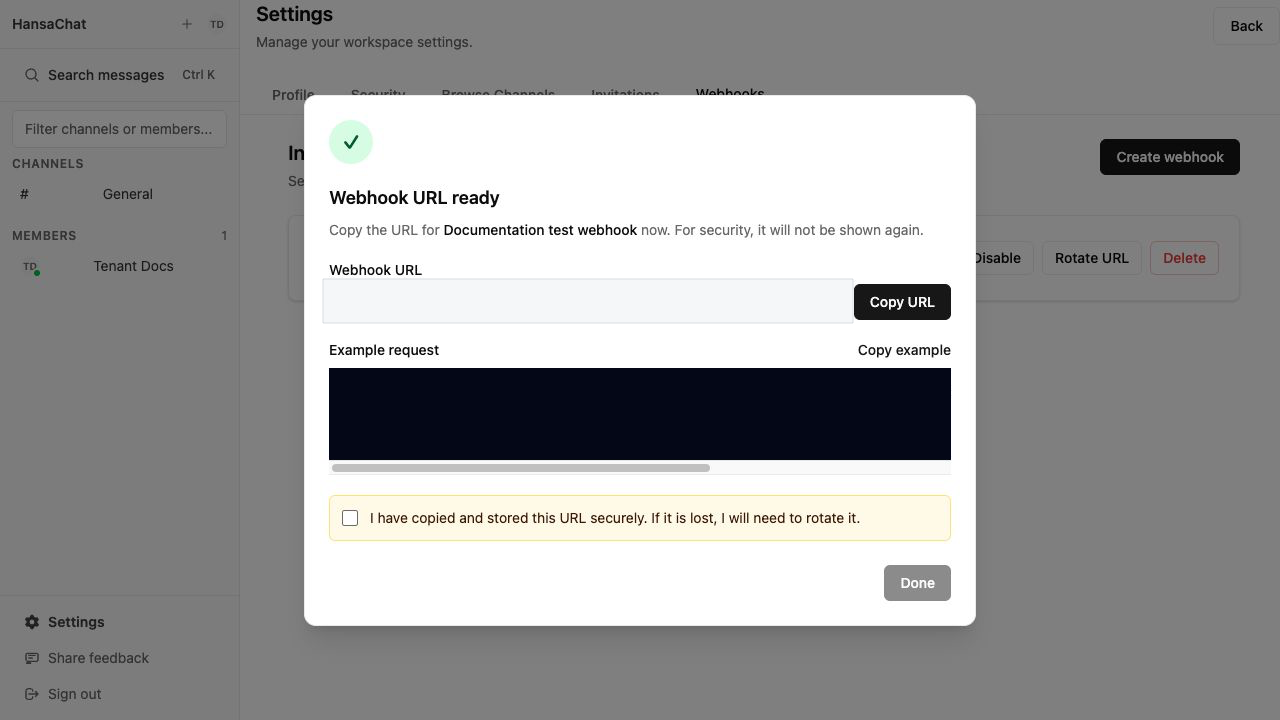
If you close this screen without saving the URL, rotate the URL to generate a new secret. The previous URL stops working immediately after rotation.
Manage webhooks
From the Webhooks page, admins can:
- Edit the webhook name, channel, icon URL, or active state.
- Disable a webhook to reject new messages without deleting it.
- Rotate URL to invalidate the old secret and generate a new URL.
- Delete a webhook. Existing chat messages are not removed.
Technical reference
Send a POST request to the webhook URL:
https://{workspace-domain}/api/webhooks/{publicID}/{secret}
The URL identifies the webhook. Every delivery must also be signed with the webhook secret: send an X-Webhook-Signature header containing a timestamp and an HMAC-SHA256 signature computed over the request body. Unsigned or expired deliveries are rejected with 401. Keep the full URL secret.
Sign your deliveries
Every request needs an X-Webhook-Signature header in this format:
t=<unix timestamp>,v1=<hex signature>
The signature is an HMAC-SHA256 digest over <timestamp>.<body> — the Unix timestamp, a dot, and the raw request body — keyed with the webhook secret from the URL. Deliveries with a timestamp older than 5 minutes are rejected, so sign each delivery right before sending it.
Bash (openssl):
URL='https://{workspace-domain}/api/webhooks/{publicID}/{secret}'
BODY='{"text":"Deployment completed successfully"}'
TS=$(date +%s)
SIG=$(printf '%s.%s' "$TS" "$BODY" | \
  openssl dgst -sha256 -hmac "$(basename "$URL")" | awk '{print $NF}')
curl -X POST "$URL" \
  -H 'Content-Type: application/json' \
  -H "X-Webhook-Signature: t=$TS,v1=$SIG" \
  -d "$BODY"
Python:
import hashlib, hmac, time, requests

url = "https://{workspace-domain}/api/webhooks/{publicID}/{secret}"
secret = url.rsplit("/", 1)[-1]
body = b'{"text":"Deployment completed successfully"}'
ts = str(int(time.time()))
sig = hmac.new(secret.encode(), f"{ts}.".encode() + body, hashlib.sha256).hexdigest()
requests.post(url, data=body,
              headers={"Content-Type": "application/json",
                       "X-Webhook-Signature": f"t={ts},v1={sig}"})
Node.js:
import { createHmac } from "node:crypto";

const url = "https://{workspace-domain}/api/webhooks/{publicID}/{secret}";
const secret = new URL(url).pathname.split("/").at(-1);
const body = JSON.stringify({ text: "Deployment completed successfully" });
const ts = Math.floor(Date.now() / 1000);
const sig = createHmac("sha256", secret).update(`${ts}.${body}`).digest("hex");
await fetch(url, {
  method: "POST",
  headers: {
    "Content-Type": "application/json",
    "X-Webhook-Signature": `t=${ts},v1=${sig}`,
  },
  body,
});
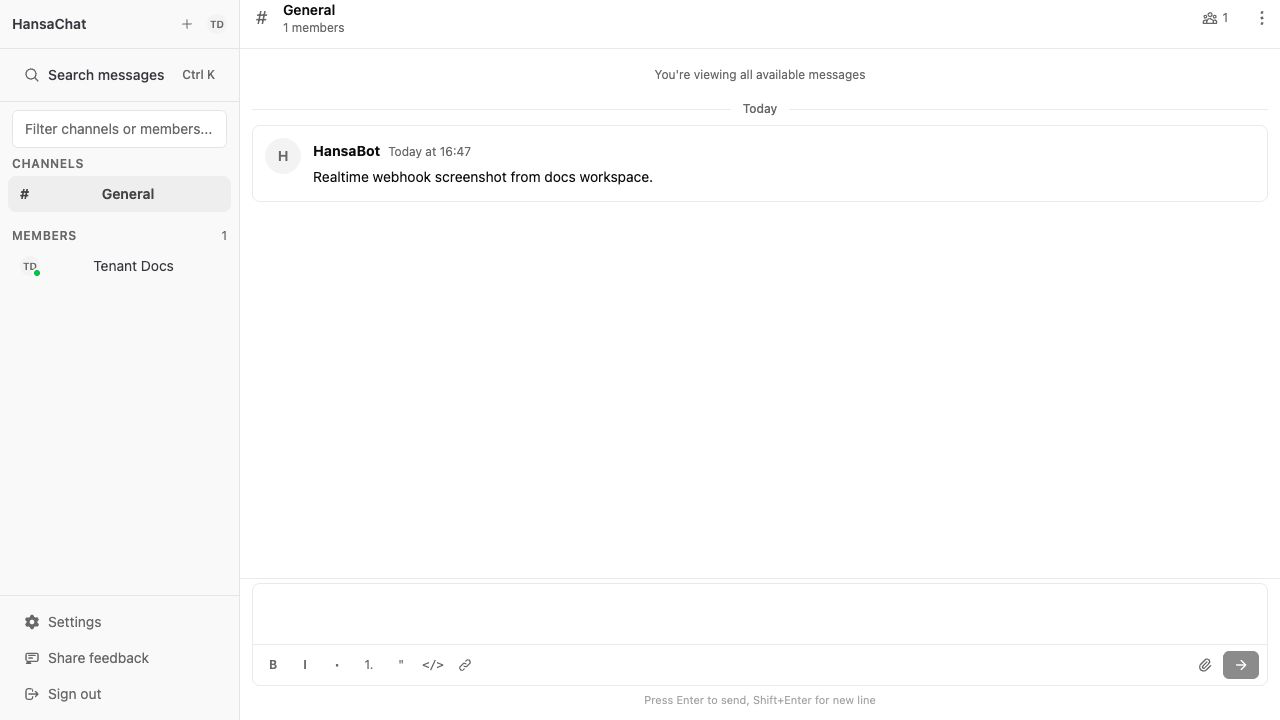
After HansaChat returns ok, the message appears in the selected channel.
Slack-compatible payload
The endpoint accepts Slack-compatible JSON payloads with text, blocks, and attachments.
{
  "text": "Deployment completed successfully",
  "blocks": [
    {
      "type": "header",
      "text": {
        "type": "plain_text",
        "text": "Deployment completed"
      }
    },
    {
      "type": "section",
      "text": {
        "type": "mrkdwn",
        "text": "Branch `main` is now live."
      }
    }
  ]
}
At least one of text, blocks, or attachments must contain readable text.
Supported fields
| Field | Required | Notes |
|---|---|---|
text |
No | Plain text message content. |
blocks |
No | Slack Block Kit-style blocks. Up to 50 blocks. Supported block types: section, header, context, image. |
attachments |
No | Slack-style attachments. Up to 100 attachments. |
Maximum payload size is 1 MB.
Rate limits
Incoming webhook ingestion is rate-limited per webhook URL.
Each webhook can accept up to 10 authenticated requests per minute and up to 100 authenticated requests per hour. When either limit is reached, HansaChat returns 429 resource_exhausted.
Please contact us if you want to increase the rate limit.
Payload limits are enforced separately: maximum body size is 1 MB, blocks accepts up to 50 items, attachments accepts up to 100 items, and the payload must contain readable text.
Idempotency
Add an Idempotency-Key header when your system may retry the same event:
curl -X POST 'https://{workspace-domain}/api/webhooks/{publicID}/{secret}' \
  -H 'Content-Type: application/json' \
  -H 'Idempotency-Key: deploy-1247' \
  -d '{"text":"Deployment #1247 completed"}'
If HansaChat receives the same idempotency key again for the same webhook, it returns 200 ok without creating a duplicate message.
Responses
Successful requests return:
ok
Common errors:
| Status | Body | Meaning |
|---|---|---|
| 400 | invalid_payload |
The JSON body could not be parsed. |
| 401 | missing_signature |
The request has no X-Webhook-Signature header. |
| 401 | invalid_signature |
The signature is invalid, or the timestamp is older than 5 minutes. |
| 400 | invalid_blocks |
The request contains more than 50 blocks. |
| 400 | too_many_attachments |
The request contains more than 100 attachments. |
| 400 | no_text |
The payload has no readable text. |
| 429 | resource_exhausted |
The webhook exceeded 10 requests per minute or 100 requests per hour. |
| 404 | no_active_hooks |
The workspace, webhook, secret, or active state is invalid. |
| 410 | channel_is_archived |
The target channel is archived. |
| 503 | temporarily_unavailable |
HansaChat cannot process the message right now. Retry later with the same Idempotency-Key. |
Security tips
- Treat webhook URLs like passwords.
- Store URLs in your external tool's secret manager.
- Sign every delivery with the webhook secret — unsigned requests are rejected.
- Rotate the URL if it was exposed or lost.
- Disable unused webhooks.
- Use a dedicated webhook per external system so access can be revoked cleanly.